Touch ID, Your Password and the unlock period
Private Passwords keeps your passwords locked away until you show it's you, with Touch ID, or with your Mac's login password where Touch ID can't be used.
When it asks
- Before it shows a password or opens an item.
- Before AutoFill fills a login or code in Safari or an app.
- Before important changes, such as opening Settings, making a backup or deleting everything.
- As it starts, if you turn on Require Touch ID at launch in Settings. It's off to begin with.
The unlock period
Once you've confirmed, Private Passwords doesn't ask again for a while. That while is the Unlock period: 900 seconds, or 15 minutes, to begin with. It covers both the app and AutoFill.
It ends early when you choose Close Windows on the key's menu, when your Mac locks, sleeps or starts its screensaver, and when Private Passwords quits. Then Touch ID is asked for again, in the app and in AutoFill.
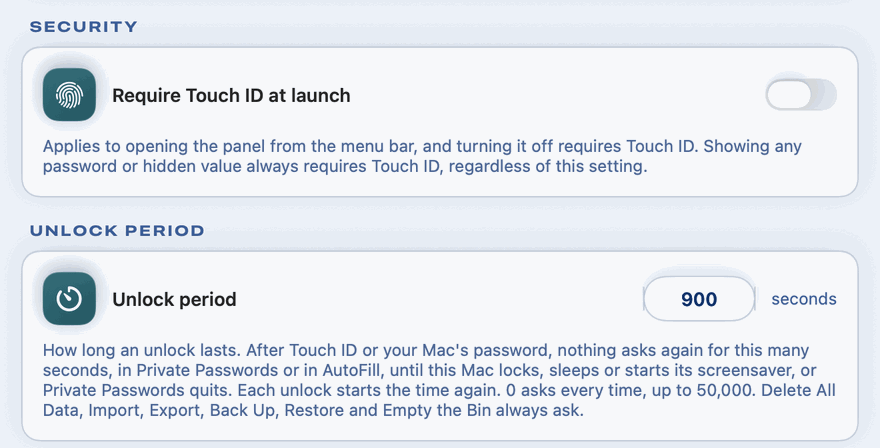
To change it, open Settings, and under Unlock period type a number of seconds, from 0 to 50,000. With 0, Private Passwords asks every time. Changing it asks for Touch ID first.
Some things always ask afresh, whatever the unlock period: opening Settings, Import, Undo Last Import, Export, Back Up, Restore, View Restore Report, Empty the Bin, Copy iCloud Backup Key, deleting an iCloud backup, sending or saving a file in Send to Support, and Delete All Data.
While Touch ID is asked
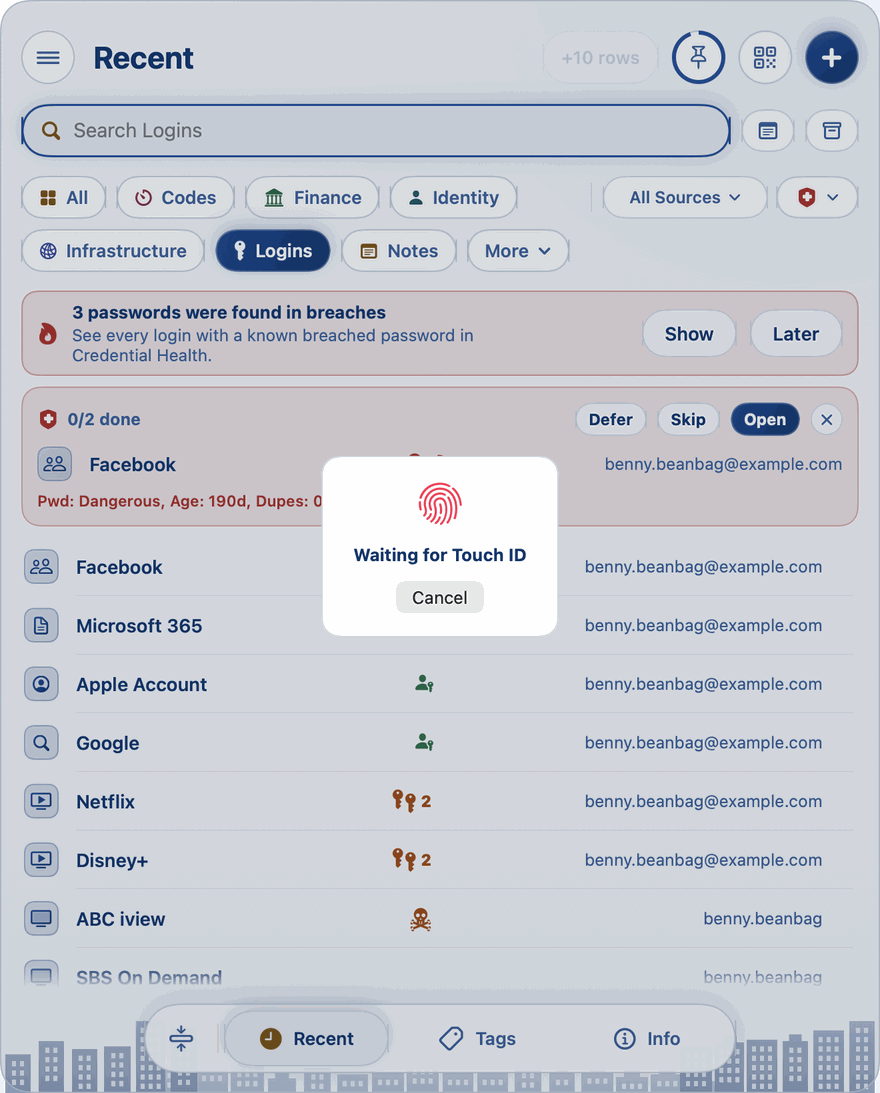
Apple's Touch ID box appears in the middle of a screen, and on a wide screen or with a second display it can be easy to miss. While it's waiting for you, Private Passwords can't be touched: the panel, every pane and the mini player are dimmed and take no clicks or typing, and clicking the key in the menu bar does nothing.
Where there's room, a card in the middle says Waiting for Touch ID. Its Cancel, or the Escape key, closes Apple's box, just as its own Cancel does, and nothing is changed.
Your Mac's password
Where your Mac has no Touch ID, or it isn't set up, Private Passwords asks for your Mac's login password instead. It works just the same.