Private Passwords Help
Private Passwords keeps your passwords, one-time codes, cards, notes and identities in your iPhone's or Mac's own Keychain, the secure storage Apple builds into every device. You open them with Face ID or Touch ID.
There is no account to create, no server and no browser extension. Nothing you keep in Private Passwords is ever sent to us or to anyone else, unless you send it yourself.
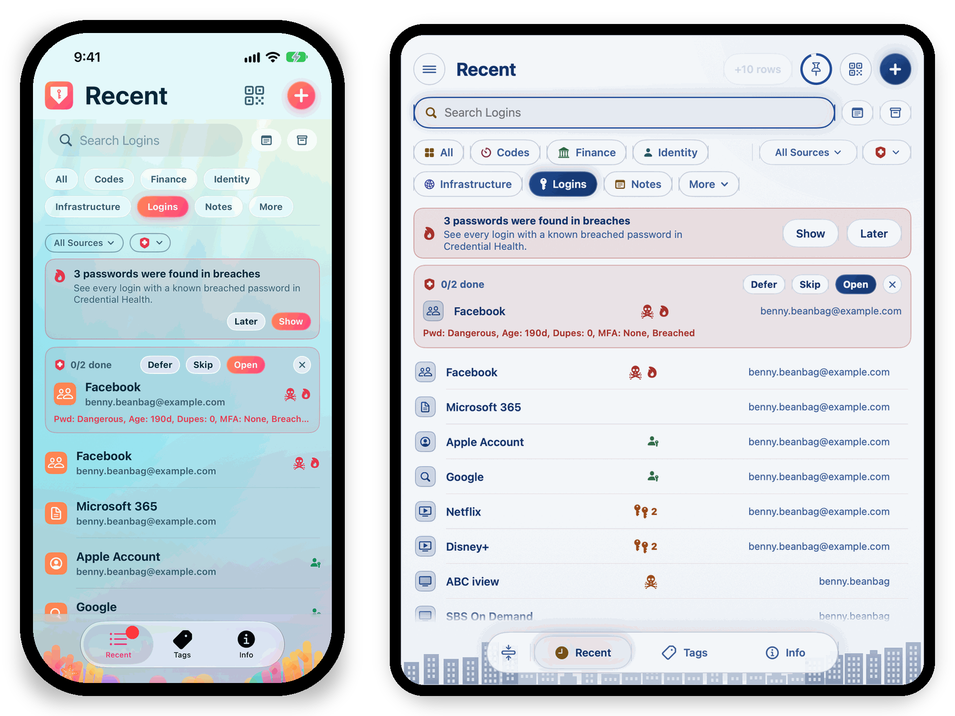
Where to start
| Your device | Start here |
|---|---|
| iPhone, iPhone Duo or Apple Watch | Installing the App |
| Mac | Installing the App |
| Already using it | Items, Logins and Notes |
How this help is arranged
- iPhone and Mac each have a book of their own. It covers what is different on that device: its screens, how you fill in passwords, Face ID or Touch ID, and its settings. The iPhone book also covers the iPhone Duo and the Apple Watch.
- Every Device covers what works the same everywhere: your items, types and templates, one-time codes, identities, Credential Health, backups, importing and how your passwords are protected. Where a step differs, the page shows an iPhone tab and a Mac tab. Choose yours once and the site remembers it.
- Help & Reference has the questions people ask most, the app's limits and rules, and a glossary of the words the app uses.
Made in Australia
Private Passwords is made by Pebble IT Solutions in Australia. If something isn't working, or this help doesn't answer your question, see Getting More Help.